Welcome aboard to the our video site for sailors. We are being constantly blasted by scammers and pirates, so registration is invite only
contact@sailorsahoy.com with "Invite". No spam, no newsletters. Just a free account
短裤 创造

Aurea 30' Open – Power Catamaran Made in Italy Follow us: Contact: mail@aureayachts.com web: https://www.aureayachts.com/ Facebook: https://www.facebook.com/AureaYachts Instagram: https://www.instagram.com/aurea_yachts/ Youtube: https://www.youtube.com/channel/UCkND2oJP_l2Qx4UHefZHqnQ 30’ Open Luxury Open Day AUREA 30 OPEN È LA SCELTA IDEALE PER CHI VIVE ALL’ARIA APERTA, IN GRADO DI FARTI TRASCORRERE UNA GIORNATA IN MARE SENZA RINUNCIARE AL COMFORT. LUSSO E STILE SI AMALGAMANO IN EQUILIBRIO PER GODERE DI OGNI DETTAGLIO. UN GRANDE SPAZIO ANCHE A PRUA, UN BAGNO IN CONSOLLE, VARI SPAZI PER GODERE DEL MARE, CON UN CONFORT AI VERTICI DELLA CATEGORIA. INFINITE PERSONALIZZAZIONI DA SCEGLIERE PER RENDERE LA TUA AUREA 30 OPEN IDEALE PER ESALTARE L'ESCLUSIVITÀ DELLA TUA CROCIERA. #2024 #Aureayachts #Aurea #luxury #luxurylife #powercatamaran #powercatamarans #yacht #catamaran #catamarano #madeinitaly #yachtdesign #nautica #boat #boats #boating #outboard #Mercury #Mercruiser #Summer #danielerizzodesign #danielerizzo Aurea 30' Cabin – Power Catamaran Made in Italy Aurea Yachts - 30 Cabin Follow us: Contact: mail@aureayachts.com web: https://www.aureayachts.com/ Facebook: https://www.facebook.com/AureaYachts Instagram: https://www.instagram.com/aurea_yachts/ Youtube: https://www.youtube.com/channel/UCkND2oJP_l2Qx4UHefZHqnQ Aurea Yachts è il primo costruttore italiano specializzato nella costruzione di catamarani a motore di lusso. Cura di ogni singolo dettaglio, qualità nella costruzione e selezione attenta dei componenti, rendono le nostre imbarcazioni la migliore alternativa alle comuni monocarena. Più Stile, più Spazio, più Stabilità e più Sicurezza. Aurea Yachts Ltd. luxury power catamarans, made in Italy. Aurea Yachts srl catamarani a motore di lusso. Made in Italy 30’ Open Luxury Open Day AUREA 30 OPEN È LA SCELTA IDEALE PER CHI VIVE ALL’ARIA APERTA, IN GRADO DI FARTI TRASCORRERE UNA GIORNATA IN MARE SENZA RINUNCIARE AL COMFORT. LUSSO E STILE SI AMALGAMANO IN EQUILIBRIO PER GODERE DI OGNI DETTAGLIO. UN GRANDE SPAZIO ANCHE A PRUA, UN BAGNO IN CONSOLLE, VARI SPAZI PER GODERE DEL MARE, CON UN CONFORT AI VERTICI DELLA CATEGORIA. INFINITE PERSONALIZZAZIONI DA SCEGLIERE PER RENDERE LA TUA AUREA 30 OPEN IDEALE PER ESALTARE L'ESCLUSIVITÀ DELLA TUA CROCIERA. LUNGHEZZA FUORI TUTTO 9,16 M LUNGHEZZA DI COSTRUZIONE 9,16 M (NATANTE) LARGHEZZA F.T.3,00 M PESCAGGIO 0,6 M CATEGORIA DI CERTIFICAZIONE CE – B PORTATA PERSONE 13 B POSTI LETTO 2 / 4 PESO SENZA I MOTORI *3.9 t SERBATOI CARBURANTE 680 L (2 x 340 l) SERBATOI ACQUA DOLCE 160 L (2 x 80 l) motori MerCruiser benzina 4.5 V6 – 2× 250 hp (Vmax 40 nodi) MerCruiser benzina 6.2 V8 – 2× 350 hp (Vmax 48 nodi) MerCruiser diesel 3.0 V6 – 2× 270 hp (Vmax 43 nodi) mercury verado F350 V8 – 2× 350 hp (Vmax 52 nodi) mercury verado F250 V6 – 2× 250 hp (Vmax 41 nodi) MATERIALE DI COSTRUZIONE compositi in INFUSIONE SOTTOVUOTO DI RESINA VINILESTERE CARENA CATAMARANO ASIMMETRICO DESIGN: ING. DANIELE RIZZO SCAFO: MUSCA MARINE DESIGN

0
0
0
230

0

0
0
0
2,956

Sailingboat - Både sælges, Nordship 28, 1984 DKK 165.000 Scanboat https://www.scanboat.com/en/boat-market/boats/sailingboat-nordship-28-17507673

0
0
0
16,630
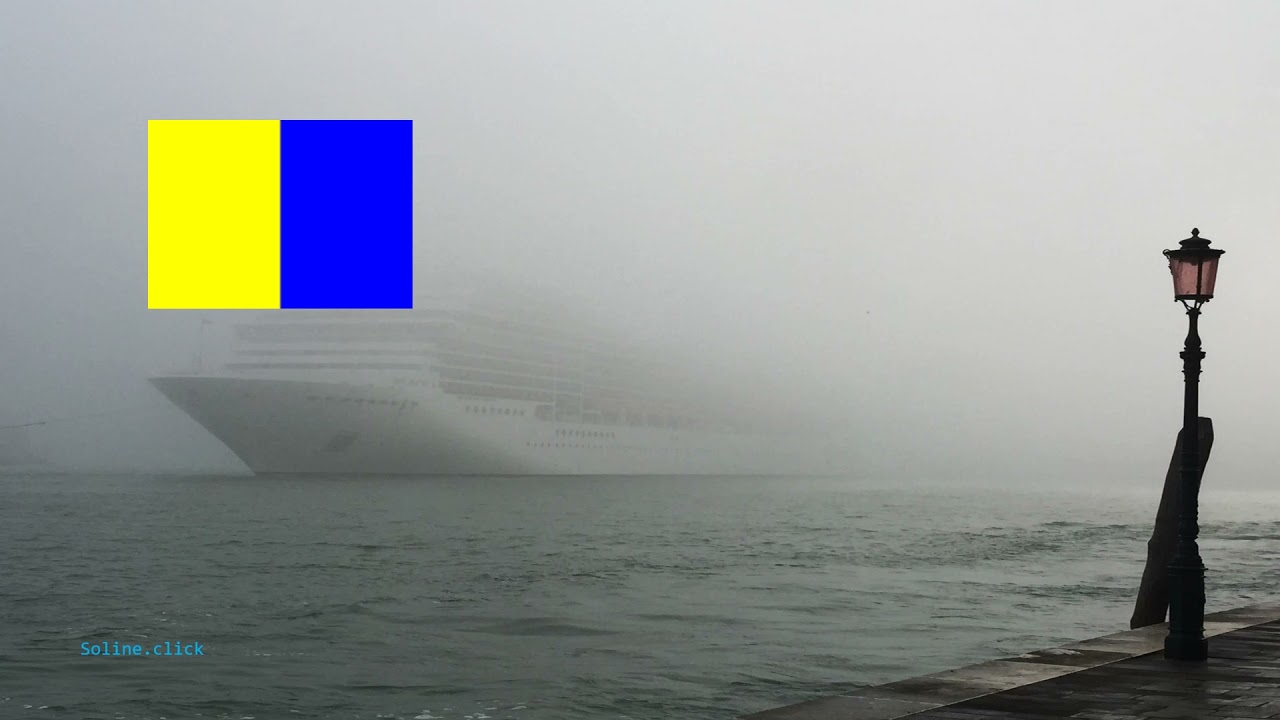
K - Kilo - Zum Lernen, eine Idee ist die Funktion Zufallswiedergabe der Playlists zu nutzen. For learning, a good idea is to use the random functionality of the play lists. Per l'apprendimento, una buona idea è utilizzare la funzionalità casuale delle playlist.

0
0
0
1

Would you climb up the rig? @uptopmedia_

0
0
0
2,373

Δηλώστε συμμετοχή στο σεμινάριο χειρισμού ιστιοφόρου σκάφους με μία μηχανή στο Άλιμο την Τετάρτη 10 Απριλίου και ώρα 1000. Θα μάθουμε τις αρχές Χειρισμού μονοπρόπελου σκάφους και θα ακολουθήσει πρακτική εξάσκηση των συμμετεχόντων στις μανούβρες. Συνολική διάρκεια 5 ώρες, περί τις 1500 θα έχει ολοκληρωθεί το σεμινάριο. Το κόστος συμμετοχής είναι στα 80 ευρώ ανά άτομο και συνολικά θα επιβαίνουν 6 άτομα συν τον εκπαιδευτή στο σκάφος. Καλέστε τηλεφωνικά για να κλείσετε θέση το συντομότερο. Αλέξανδρος Ρετσίνας τηλ +306943936083
0
0
0
1,874
