close

Welcome aboard to the our video site for sailors. We are being constantly blasted by scammers and pirates, so registration is  invite only


contact@sailorsahoy.com with "Invite". No spam, no newsletters. Just a free account

Shorts Create

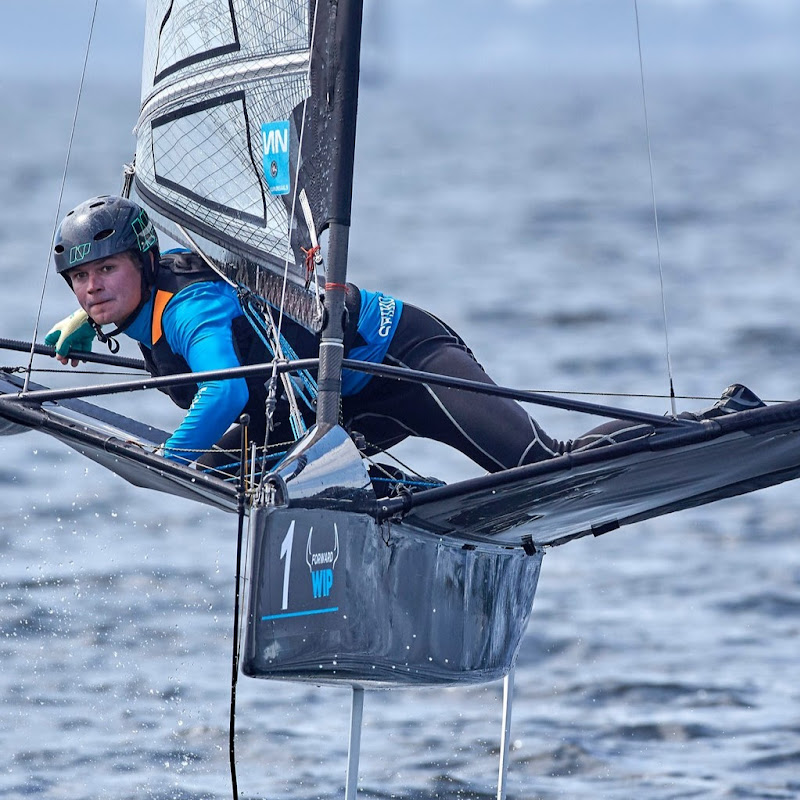
How was your week? this sums up ours quite nicely. First event of the the Melges 32 World League, in the beautiful area of Villasimius Sardinia (Italy).
j0lbert

0

0

78

Never in my memory as a marine industry professional have so many multihulls been exhibited at a boat show. Of the 700 boats on display, nearly 100 were multihulls, proof of the incredible growth of this market sector. Even more spectacular: there were a good twenty making their World Premiere! Powercats are also on the rise, and their numbers are increasing every year. Many specialist multihull builders already cover both sail and power with their ranges, but what’s new is that single-hulled power specialists such as Prestige, Four Winns, and now SanLorenzo, are joining us with their multipowers. The results of this particularly intense 6-day show seem pretty positive, if we are to believe the testimonials we gathered on site: the cocktail of new products + price wars is working and winning over customers. As a result, order books are filling up... ► Become a FREE SUBSCRIBER to Multihulls World's YouTube page now - https://www.youtube.com/c/MultihullsWorld ► Log on to our website to discover over 500 multihulls tests! Subscribe to our newsletter to take advantage of our promotions and boat show invitations! https://www.multihulls-world.com/ ► Follow us on Facebook! https://m.facebook.com/MultihullsWorldMag/?locale2=fr_FR ► Discover us on Instagram! https://www.instagram.com/multihulls_world/ ► Follow our multi news on X https://twitter.com/multihullsworld?lang=fr ► Let’s talk about business https://www.linkedin.com/company/multicoques-mag-multihulls-world/ ► Like us on TikTok! https://www.tiktok.com/@multihullsworldmag #multihullsworld #yachting #multihull #cruising #bluewater #sailing #sailcruising #seatrial #boatreview #bluewatersailing #powercat #boat #boatlife #boating #sailingday #magazine #YouTube #tiktok #catamaran #trimaran #gwendorning #cannesyachtingfestival #frenchriviera #cannes

multihullsworld

0

0

244

J109 Going to Red hit the front early in the Portaferry Regatta 2025. Big Sails win big races and fortune favoured the brave with the Redline Racing Team making the big call to set the A2 at the start and blast downwind to enter the lough at over 15 knots over the ground. With the sun shinning both on the bay and the crew it made a great spectacle for the passengers on the Strangford Ferry. The team at bottom up boats hope you are enjoying the short bits from the 2025 racing season.

bottomupboats

0

0

22,022

Alexander Marine Australia, as Whitehaven Motor Yacht dealers, are pleased to present the Whitehaven Harbour Classic 52 to the Australian market, now arrived at our dock and in stock for immediate delivery. The Whitehaven Motor Yachts Harbour Classic 52 is a refined coastal cruising motor yacht that embraces the timeless appeal of Down East styling while delivering the practicality and comfort modern owners demand. With her elegant sheerline, understated profile and highly functional layout, the Harbour Classic 52 is a yacht that resonates with experienced boaters seeking effortless cruising, dependable shaft-drive performance and thoughtfully designed living spaces. Built with a clear focus on owner usability rather than fleeting trends, this model combines classic aesthetics with modern conveniences in a way that feels both welcoming and highly capable.

alexandermarineaustralia7163

0

0

3

0

caraibeyachts773

0

0

597

While having been in the "gamle by" in Arhus I took the chance to use my Ricoh Theta V camera in order to make some 360° footage. Afterwards I tried out my workflow to get the spatial audio through my Cyberlink PowerDirector video processing. Workflow: 1. Connect Theta V via USB to your computer 2. Copy the video(s) to you computer (e.g. d:\temp\) 3. Start the "RICOH THETA" app 4. Drag'n'drop the video file(s) (you can select more than one video file) from your computer location (e.g. d:\temp\) onto the "RICOH THETA" app window (or just use open from the file menue) 5. Let the "RICOH THETA" app stich your video(s). It will output a file at the same location (e.g. d:\temp\) with the filename being extended by "_er" (the filename extension is still ".mp4") 6. Drag'n'drop the video file (unfortunately one by one) from your computer location (e.g. d:\temp\) onto the the "RICOH THETA Movie Converter" app icon (e.g. the one on the Desktop) 7. Let the "RICOH THETA Movie Converter" app convert the dropped video file. It will output a file at the same location (e.g. d:\temp\) the same name but the extension ".mov" 8. Open "Cyberlink PowerDirector" go to settings and make sure that under general you configure the used audio channels to "5.1 Surround". 9. In "Cyberlink PowerDirector" import the processed video file(s) with the extension ".mov". 10. In "Cyberlink PowerDirector" drag your video file(s) with the extension ".mov" to the timeline of your 360° project. 11. After editing (avoid changing the audio channel(s) of the Theta V videos except cutting, fading) produce a 360° video with enabled "Surround-Sound" and "Dolby Digital 5.1" 12. Start the "Audacity" app and open the 360° video file produced by "Cyberlink PowerDirector" in it (or just drag'n'drop the file to the desktop icon). You will experience 6 audio channels. 13. In "Audacity" go to "Edit" "Settings" and make sure that for "Import / Export" and "Export of audio" the tick is set for "use own mix" (and no tick for downsample to mono/stereo). 14. In "Audacity" export these audio channels by using "File" / "Export" / "Audio export" (same as CTRL-Shift-E). Change the filename to make it same as the video filename (besides the file extension), leave "WAV (Microsoft) signed 16bit PCM" and press "Save". 15. Now you get an additional selection box. Change the slider to output of four audio channels first. Then you need to edit the lines from the boxes of the left hand side to the boxes on the right hand side. Make left1 being connected only to right1. Make left2 being connected only to right3. Make left3 being connected only to right2. Make left5 being connected only to right4. Now press ok twice. 16. Now we need to replace the audio track of the produced video of "Cyberlink PowerDirector" with the one generated by "Audacity" by using "FFQueue". 17. Start the "FFQueue" app (remove all old jobs if there are some) press the "Add" button and select the produced video of "Cyberlink PowerDirector". Because the audio file has the same filename it will be recognized automatically. You will get three entries in the list. #1.0 video (leave it ticked) #1.1 audio (untick it) and #2.0 audio (leave it ticket). 18. In the "FFQueue" app verify that the FFMPG command line states "%inputs% %preset% %output%" and Preset command lines states "Passthrough". Set the output filename and path and make sure the file extension will be ".mov". Then you can press "Save job". Afterwards press the triangle button "Start". 19. Start the "Spatial Media Metadata Injector". Use the "Open" button to select the file generated by "FFQueue". "My video is spherical (360)" shall be ticked by default. Now you need to tick also "My video has spatial audio (ambiX ACN/SN3D format). Then you need to press "Inject metadata". 20. The "Spatial Media Metadata Injector" app generates a new file with extending the source filename by adding "_injected". The fileextension will stay the same. 21. Upload the file generated by "Spatial Media Metadata Injector" to YouTube. 22. Now you should have audio focussed on the direction you are viewing...

sixten828

0

0

39