Welcome aboard to the our video site for sailors. We are being constantly blasted by scammers and pirates, so registration is invite only
contact@sailorsahoy.com with "Invite". No spam, no newsletters. Just a free account
শর্টস সৃষ্টি
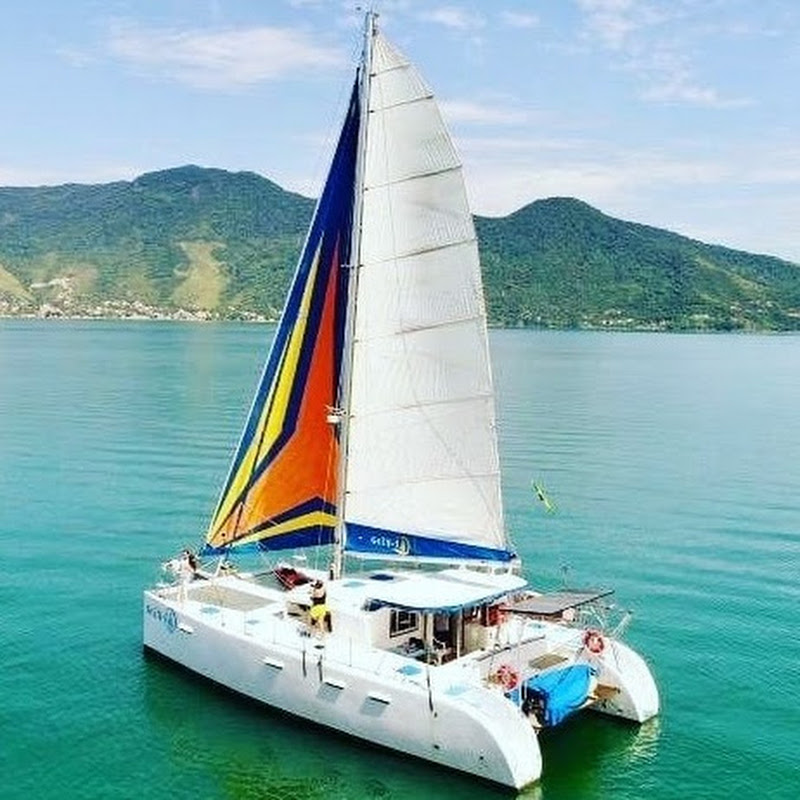
Join us & Register Today: https://catamaranguru.com/2025-all-catamaran-rendezvous-event/?fbclid=PAZXh0bgNhZW0CMTEAAaa1eAUQHyYmGVVAvtdf8SSct5JxPsvNXEi7SBruKn-4KjN3jlgCmRY60OE_aem_6rZHpelDx2fyyXC4TAnaNg Join us for the 2025 Catamaran Guru Rendezvous—a sailing experience like no other! 🌴✨ 📅 May 4 – 7, 2025 📍 Abacos, Bahamas Whether you’re a seasoned sailor or just getting started, this event is your chance to: ⚓ Connect with fellow catamaran enthusiasts 🛥️ Learn from industry experts 🌊 Compete in friendly racing 🏖️ Enjoy beach games & epic parties Spots fill up fast—register now and get ready for an unforgettable week on the water! 🌞🏝️ Every year, we hold an annual event know and the Rendezvous where sailors in our community can gather, sail and have a great time together in the Bahamas. This year, we again had a variety of different brands of catamarans like Lagoon, Bali, Leopard, Catana, Outremer, Fountaine-Pajot Lightwave, Voyage and others, totaling 27 catamarans. It is a nice cross section of brands and owners who no doubt enjoy meting each other and touring each others boats, catching some tips and ideas from each other. We even had a famous boat join the festivities! The “La Vagabonde” Outremer 45, the former home of Reily and Elena, is now a sailing school boat in the Abacos! Learn More About the 2023 Catamaran Guru Rendezvous here: https://catamaranguru.com/2023-rendezvous-recap/ Website: https://catamaranguru.com Featured Catamarans For Sale: https://catamaranguru.com/yacht-sales/featured-catamaran-listings/ Follow and Like Us on Instagram & Facebook: @catamaranguru Get the inside scoop on everything from the latest catamaran models to sailing tips and travel updates. We will only send e-mail updates for new posts or the info you request. We never share your information, NO spam! Check the boxes at the bottom of the form to indicate your interests. Subscribe to Newsletter - https://catamaranguru.com/subscribe-to-our-newsletter/
🐬 Experience the Magic: Dolphin Watching in Fuerteventura" 😍 Welcome to our channel! Today, we're taking you on an unforgettable adventure to witness the beauty of nature in Fuerteventura. Join us aboard the "Magic Deluxe" catamaran as we set sail from the picturesque port of Morro Jable for a daily excursion in search of dolphins. 🏝️ Fuerteventura, known for its crystal-clear waters and abundant marine life, offers the perfect backdrop for a dolphin-watching experience. As we cruise along the coastline, keep your eyes peeled for playful dolphins dancing in the waves. Our expert crew will share fascinating insights about these magnificent creatures and the marine ecosystem of the Canary Islands. With spacious decks and comfortable seating, the "Magic Deluxe" provides the ideal vantage point for spotting dolphins and enjoying panoramic views of the island's coastline. So come aboard and let's embark on a magical boat trip to encounter Fuerteventura's most beloved inhabitants – the dolphins! Don't forget to like, share, and subscribe for more adventures from around the world. Thanks for watching! 🐬 Vive la Magia: Avistamiento de Delfines en Fuerteventura" 😍 ¡Bienvenidos a nuestro canal! Hoy, te llevamos en una aventura inolvidable para presenciar la belleza de la naturaleza en Fuerteventura. Únete a nosotros a bordo del catamarán "Magic Deluxe" mientras zarpamos desde el pintoresco puerto de Morro Jable para una excursión diaria en busca de delfines. 🏝️ Fuerteventura, conocida por sus aguas cristalinas y su abundante vida marina, ofrece el escenario perfecto para una experiencia de avistamiento de delfines. Mientras navegamos por la costa, mantén los ojos bien abiertos para observar a los juguetones delfines bailando en las olas. Nuestra tripulación experta compartirá fascinantes conocimientos sobre estas magníficas criaturas y el ecosistema marino de las Islas Canarias. Con cubiertas espaciosas y cómodos asientos, el "Magic Deluxe" ofrece el lugar ideal para avistar delfines y disfrutar de vistas panorámicas de la costa de la isla. ¡Así que únete a nosotros en una excursión en barco para encontrarnos con los habitantes más queridos de Fuerteventura: los delfines! ¡No olvides darle me gusta, compartir y suscribirte para más aventuras de todo el mundo! ¡Gracias por mirar! #magicandsailing 👉Book now at www.magicandsailing.com 📱+34 630 975 023 #dolphins #animals #animalshorts #canarias #holidays #nature #naturelovers #tour #canaryislands
While having been in the "gamle by" in Arhus I took the chance to use my Ricoh Theta V camera in order to make some 360° footage. Afterwards I tried out my workflow to get the spatial audio through my Cyberlink PowerDirector video processing. Workflow: 1. Connect Theta V via USB to your computer 2. Copy the video(s) to you computer (e.g. d:\temp\) 3. Start the "RICOH THETA" app 4. Drag'n'drop the video file(s) (you can select more than one video file) from your computer location (e.g. d:\temp\) onto the "RICOH THETA" app window (or just use open from the file menue) 5. Let the "RICOH THETA" app stich your video(s). It will output a file at the same location (e.g. d:\temp\) with the filename being extended by "_er" (the filename extension is still ".mp4") 6. Drag'n'drop the video file (unfortunately one by one) from your computer location (e.g. d:\temp\) onto the the "RICOH THETA Movie Converter" app icon (e.g. the one on the Desktop) 7. Let the "RICOH THETA Movie Converter" app convert the dropped video file. It will output a file at the same location (e.g. d:\temp\) the same name but the extension ".mov" 8. Open "Cyberlink PowerDirector" go to settings and make sure that under general you configure the used audio channels to "5.1 Surround". 9. In "Cyberlink PowerDirector" import the processed video file(s) with the extension ".mov". 10. In "Cyberlink PowerDirector" drag your video file(s) with the extension ".mov" to the timeline of your 360° project. 11. After editing (avoid changing the audio channel(s) of the Theta V videos except cutting, fading) produce a 360° video with enabled "Surround-Sound" and "Dolby Digital 5.1" 12. Start the "Audacity" app and open the 360° video file produced by "Cyberlink PowerDirector" in it (or just drag'n'drop the file to the desktop icon). You will experience 6 audio channels. 13. In "Audacity" go to "Edit" "Settings" and make sure that for "Import / Export" and "Export of audio" the tick is set for "use own mix" (and no tick for downsample to mono/stereo). 14. In "Audacity" export these audio channels by using "File" / "Export" / "Audio export" (same as CTRL-Shift-E). Change the filename to make it same as the video filename (besides the file extension), leave "WAV (Microsoft) signed 16bit PCM" and press "Save". 15. Now you get an additional selection box. Change the slider to output of four audio channels first. Then you need to edit the lines from the boxes of the left hand side to the boxes on the right hand side. Make left1 being connected only to right1. Make left2 being connected only to right3. Make left3 being connected only to right2. Make left5 being connected only to right4. Now press ok twice. 16. Now we need to replace the audio track of the produced video of "Cyberlink PowerDirector" with the one generated by "Audacity" by using "FFQueue". 17. Start the "FFQueue" app (remove all old jobs if there are some) press the "Add" button and select the produced video of "Cyberlink PowerDirector". Because the audio file has the same filename it will be recognized automatically. You will get three entries in the list. #1.0 video (leave it ticked) #1.1 audio (untick it) and #2.0 audio (leave it ticket). 18. In the "FFQueue" app verify that the FFMPG command line states "%inputs% %preset% %output%" and Preset command lines states "Passthrough". Set the output filename and path and make sure the file extension will be ".mov". Then you can press "Save job". Afterwards press the triangle button "Start". 19. Start the "Spatial Media Metadata Injector". Use the "Open" button to select the file generated by "FFQueue". "My video is spherical (360)" shall be ticked by default. Now you need to tick also "My video has spatial audio (ambiX ACN/SN3D format). Then you need to press "Inject metadata". 20. The "Spatial Media Metadata Injector" app generates a new file with extending the source filename by adding "_injected". The fileextension will stay the same. 21. Upload the file generated by "Spatial Media Metadata Injector" to YouTube. 22. Now you should have audio focussed on the direction you are viewing...