Welcome aboard to the our video site for sailors. We are being constantly blasted by scammers and pirates, so registration is invite only
contact@sailorsahoy.com with "Invite". No spam, no newsletters. Just a free account
শর্টস সৃষ্টি
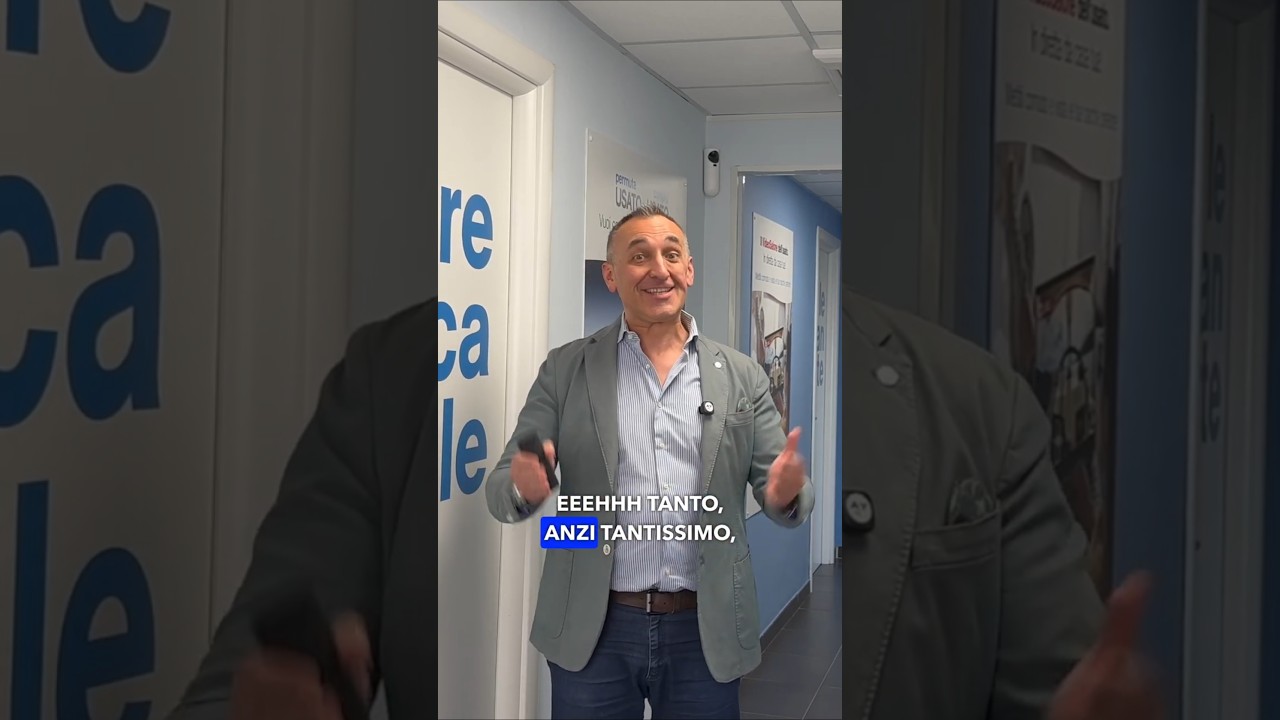
📄 Vendere o comprare una barca? I documenti sono fondamentali! Anche una barca perfetta può fermarsi in trattativa se non è chiaro chi può venderla o se l’incarico viene firmato dalla persona sbagliata. Nel video completo ti spieghiamo cosa controllare prima di vendere o comprare una barca. 🎥 Guarda il video completo qui: 👉 https://youtu.be/wY97ZxCxU84 ⚓ Prima di procedere, meglio controllare: • licenza di navigazione • certificato motore • licenza radio • certificato di sicurezza valido • documenti fiscali chiari • situazione IVA, soprattutto con acquirenti esteri 🧭 Documenti in ordine significano più fiducia, meno rischi e una vendita più semplice. 📞 Chiamaci al +39 0112457841 💬 WhatsApp: https://wa.me/393421432715 📨 info@abayachting.com 🌐 https://www.abayachting.com 🔔 Iscriviti al canale per non perdere i prossimi consigli nautici! #abayachting #nautica #venderebarca #comprarebarca #documentibarca #barcainvendita #barcheinvendita #yachtbroker #yachtbrokerage #brokerage #boatexperience #consiglinautici #sailinglife #reelyacht
0
0
0
381

While having been in the "gamle by" in Arhus I took the chance to use my Ricoh Theta V camera in order to make some 360° footage. Afterwards I tried out my workflow to get the spatial audio through my Cyberlink PowerDirector video processing. Workflow: 1. Connect Theta V via USB to your computer 2. Copy the video(s) to you computer (e.g. d:\temp\) 3. Start the "RICOH THETA" app 4. Drag'n'drop the video file(s) (you can select more than one video file) from your computer location (e.g. d:\temp\) onto the "RICOH THETA" app window (or just use open from the file menue) 5. Let the "RICOH THETA" app stich your video(s). It will output a file at the same location (e.g. d:\temp\) with the filename being extended by "_er" (the filename extension is still ".mp4") 6. Drag'n'drop the video file (unfortunately one by one) from your computer location (e.g. d:\temp\) onto the the "RICOH THETA Movie Converter" app icon (e.g. the one on the Desktop) 7. Let the "RICOH THETA Movie Converter" app convert the dropped video file. It will output a file at the same location (e.g. d:\temp\) the same name but the extension ".mov" 8. Open "Cyberlink PowerDirector" go to settings and make sure that under general you configure the used audio channels to "5.1 Surround". 9. In "Cyberlink PowerDirector" import the processed video file(s) with the extension ".mov". 10. In "Cyberlink PowerDirector" drag your video file(s) with the extension ".mov" to the timeline of your 360° project. 11. After editing (avoid changing the audio channel(s) of the Theta V videos except cutting, fading) produce a 360° video with enabled "Surround-Sound" and "Dolby Digital 5.1" 12. Start the "Audacity" app and open the 360° video file produced by "Cyberlink PowerDirector" in it (or just drag'n'drop the file to the desktop icon). You will experience 6 audio channels. 13. In "Audacity" go to "Edit" "Settings" and make sure that for "Import / Export" and "Export of audio" the tick is set for "use own mix" (and no tick for downsample to mono/stereo). 14. In "Audacity" export these audio channels by using "File" / "Export" / "Audio export" (same as CTRL-Shift-E). Change the filename to make it same as the video filename (besides the file extension), leave "WAV (Microsoft) signed 16bit PCM" and press "Save". 15. Now you get an additional selection box. Change the slider to output of four audio channels first. Then you need to edit the lines from the boxes of the left hand side to the boxes on the right hand side. Make left1 being connected only to right1. Make left2 being connected only to right3. Make left3 being connected only to right2. Make left5 being connected only to right4. Now press ok twice. 16. Now we need to replace the audio track of the produced video of "Cyberlink PowerDirector" with the one generated by "Audacity" by using "FFQueue". 17. Start the "FFQueue" app (remove all old jobs if there are some) press the "Add" button and select the produced video of "Cyberlink PowerDirector". Because the audio file has the same filename it will be recognized automatically. You will get three entries in the list. #1.0 video (leave it ticked) #1.1 audio (untick it) and #2.0 audio (leave it ticket). 18. In the "FFQueue" app verify that the FFMPG command line states "%inputs% %preset% %output%" and Preset command lines states "Passthrough". Set the output filename and path and make sure the file extension will be ".mov". Then you can press "Save job". Afterwards press the triangle button "Start". 19. Start the "Spatial Media Metadata Injector". Use the "Open" button to select the file generated by "FFQueue". "My video is spherical (360)" shall be ticked by default. Now you need to tick also "My video has spatial audio (ambiX ACN/SN3D format). Then you need to press "Inject metadata". 20. The "Spatial Media Metadata Injector" app generates a new file with extending the source filename by adding "_injected". The fileextension will stay the same. 21. Upload the file generated by "Spatial Media Metadata Injector" to YouTube. 22. Now you should have audio focussed on the direction you are viewing...

0
0
0
31

Remember those exclusive days... This year, let us dream together, bigger than ever. ready to experience the extraordinary ? Our largest catamarans is arriving. See you there ! _______________________________________________________ CATAMARAN INNOVATORS SINCE 1984 Lagoon was formed in pursuit of connection – with ourselves, our loved ones and the world around us. By bringing the human experience to the 7 seas, we’ve been able to unleash an unbridled sense of curiosity and instinctual need for quality since 1984. Something we wouldn’t have accomplished without a collective passion for spectacular destinations and even better journeys getting there. As confirmed sailors, we all know that our boats have to be fast, comfortable and safe: seaworthy. We build them based on our love of the sea and the constant aim of good-quality work. We design them as if we were the future owners. As shipbuilders and sailors, it is part of our logic. Subscribe to Lagoon YouTube Channel : https: //www.youtube.com/channel/UCWVdVCBpjeIGtaJGgjyiT6g Website : https://www.catamarans-lagoon.com/ Facebook : https://www.facebook.com/lagooncatamarans/ Instagram : https://www.instagram.com/lagooncatamarans/ LinkedIn: https://www.linkedin.com/company/lagoon-catamarans/

0
0
0
33

Vidéo complète https://youtu.be/balyccOBWZI #onboard #cover #bolivard #music

0
0
0
268

0
0
0
0
1,366

Crossing the Atlantic on one tank of fuel? From the sleek Neel to the powerful Leen Power Trimaran crossing oceans on a single tank—these vessels redefine luxury cruising. 🚤✨Experience personalized service with Aeroyacht—more than a dealership, a true partnership. 🌊🌟 #multihullsailing #NEELtrimarans #cruisinglife #sailing #Nautitechcatamarans #McConaghyBoats #LuxuryYachts #shorts

0
0
0
1
